
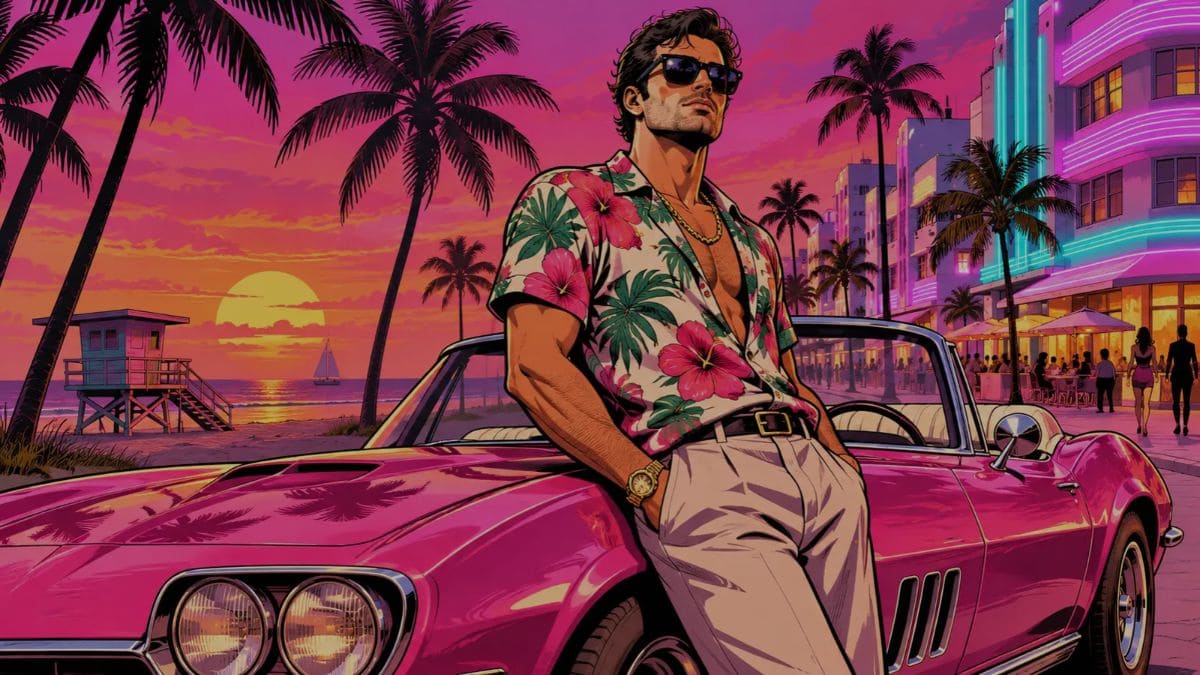

Since Grand Theft Auto VI (GTA VI) was released on November 19th 2026, if you have been on social media platforms like Instagram, TikTok, and X, you’ve likely seen a heist scene.
Players worldwide have changed their profile pictures from standard selfies to Vice City-style loading screens.
The scene features bright neon lighting and a gritty style.
After a record-breaking 3.3 million concurrent viewers on Twitch, many have started to look for ways to enter the world of Leonida outside of playing the game on PS5.
As a result, there has been a huge surge in GTA 6 prompts for Google Gemini, ChatGPT, and Midjourney.
After trying many variations (with our selfies), we have put together a full list of 15 prompts that will produce accurate images of YOU (rather than just generic NPCs).
Related Article
GTA 6 All Characters: Every Protagonist, Ally, and Villain in Leonida
Continue ReadingTo instantly get Rockstar-quality GTA 6 covers, copy and paste these GTA 6 AI prompts.
How to Get the Best Results Before You Paste (GTA 6 AI Prompts)
Taking a moment to prepare before copying your preferred prompt can save you a great deal of frustration.
AI image editors work best when you provide them with clear visual reference points.
- Use a clear portrait: Don’t wear heavily tinted glasses, harsh lighting, or blur if it isn’t requested in the prompt.
- Ensure that you retain the features of your face: Make sure you include “preserve the person’s exact face, hairstyle, and skin tone” within your prompt. If you find that the image is straying too far from you, type “Keep my exact face and age from the original photo”.
- Aspect Ratio: If creating content for Instagram Reels, TikTok, or mobile wallpapers, select either 4:5 or 9:16. However, if you’d like to create a traditional wide-screen loading animation on your computer desktop, select 16:9.
Classic Cover Art & Loading Screen Prompts
#1 Iconic Vice City Box Art Poster
Achieve a Rockstar Games-style cover. The artwork will be hand-drawn and semi-realistic, using thick lines and warm Florida colours.
Copy and paste the prompt:
Transform this photo into an official GTA 6-style game cover portrait. Keep the person’s exact face, identity, hairstyle, and skin tone. Use a semi-realistic digital painting style with bold graphic shading, warm sunset lighting, and subtle cel-shaded highlights. Place them in the foreground wearing an open tropical floral shirt and a thin silver chain, standing against a vibrant Vice City skyline with palm trees, a pink-and-orange dusk sky, and neon hotel signs. Do not include text or logos.
#2 Multi-Panel Loading Screen Collage
If you want your image to look like a classic ‘Grand Theft Auto’ box cover, ‘split-panel framing’ is the secret.
Copy and paste the prompt:
Turn this photo into a classic GTA 6 multi-panel comic collage cover. Feature the person from the uploaded image large in the center foreground, preserving their exact facial features and expression. Surround them with crisp, black-bordered comic panels showing a white supercar speeding down Ocean Drive, a police helicopter spotlight in the night sky, palm trees at sunset, and a speedboat cutting through turquoise water. Semi-realistic, Rockstar-inspired digital art style, high contrast, vibrant neon and pastel tones.
#3 Neon Ocean Drive Nightlife Look
As darkness falls, ‘Vice City’ comes alive. This prompt replaces the orange hues of sunset with electric blues, magentas, and reflections shimmering on wet streets.
Copy and paste the prompt:
Reimagine the person in this selfie as a main character in GTA 6 standing on a rain-slicked Ocean Drive sidewalk at night. Preserve their exact face, bone structure, and hair. Dress them in a sleek black leather jacket over a white tee. Cinematic neon rim lighting in electric pink and cyan from Art Deco hotel signs behind them. Glossy sports cars parked along the curb, palm trees swaying, semi-realistic next-gen video game render mixed with stylized cover art shading.
Heist, Action & High-Stakes Prompts
#4 Jason & Lucia Bank Heist Partner
Inspired by that unhinged duo who wreaked havoc in Leonida, this prompt drops you right into the middle of a high-stakes job.
Copy and paste the prompt:
Transform this portrait into a cinematic GTA 6 heist loading screen. Keep the person’s exact face and identity recognizable. They are leaning against the hood of a matte-black muscle car outside a downtown Vice City bank at dusk, holding a heavy duffel bag over one shoulder with a pulled-down patterned bandana around their neck. Dramatic golden-hour lighting mixed with flashing red and blue police lights in the background. Detailed semi-realistic game artwork style.
#5 High-Speed Police Chase
If you have been following our guide on how to make money in GTA 6, you already know a five-star wanted level is never far behind.
Copy and paste the prompt:
Create a dramatic GTA 6 action scene featuring the exact person from this photo behind the wheel of a convertible exotic sports car during a sunset pursuit. Shot from a low front three-quarter angle, looking through the windshield. Keep their exact face, hair, and focused expression. Behind the car, two Vice City police cruisers with sirens blazing kick up smoke on a palm-lined highway. Vibrant illustrated game art style with intense motion blur and warm coastal lighting.
#6 Downtown Rooftop Lookout
For a quieter, more calculating vibe, this prompt puts you above the city lights, planning your next move.
Copy and paste the prompt:
Turn this photo into a stylized GTA 6 character portrait on a high-rise penthouse rooftop overlooking Vice City at twilight. Preserve the person’s exact face, age, and hairstyle. They are wearing tailored smart-casual attire, leaning on a glass balcony railing with the glowing neon skyline, bridges, and ocean bay stretching behind them. Rich purple and amber sky, crisp illustrated video game concept art aesthetic.
Luxury, Supercars & Leonida Lifestyle Prompts
#7 Starfish Island Mansion Flex
Nothing screams Vice City success like waterfront property and an infinity pool.
Copy and paste the prompt:
Transform this selfie into a luxury GTA 6 lifestyle loading screen. Keep the person’s exact facial features and likeness. They are standing in front of a modern white waterfront mansion in Leonida, with a bright purple supercar parked on the driveway, an infinity pool reflecting the sunset, and a private yacht docked in the background. Wearing designer sunglasses and a linen resort shirt. High-detail, Rockstar-inspired illustrated art style.
#8 Sunset Supercar Boulevard Shot
Cars are half the identity of Grand Theft Auto, and this prompt puts your dream ride front and center.
Copy and paste the prompt:
Place the exact person from this photo leaning casually against a glossy pastel-pink exotic supercar parked along a palm-lined Miami-style boulevard at golden hour. Keep their exact face, skin tone, and hair unchanged. Warm orange sunlight casting long shadows, vintage Art Deco buildings glowing in the background, stylized GTA 6 cover art painting finish with sharp highlights.
#9 Biscayne Bay Speedboat Escape
Leonida is packed with waterways, swamps, and open ocean. Take your character off the asphalt and onto the water.
Copy and paste the prompt:
Reimagine the person in this photo standing at the helm of a sleek luxury speedboat racing across turquoise Vice City waters at sunset. Preserve their exact face and identity. Ocean spray catching the golden light, iconic downtown skyscrapers and palm-covered islands visible in the distance. Stylized Grand Theft Auto VI promotional artwork aesthetic, bold colors, crisp digital brushwork.
Street Culture, Lowriders & Swamp Vibes Prompts
#10 Custom Lowrider Street Meet
Vice City’s car culture goes way beyond modern supercars. This prompt taps into classic hydraulic lowriders and neighborhood block parties.
Copy and paste the prompt:
Turn this photo into a GTA 6 street-culture character poster. Keep the person’s exact face, expression, and hairstyle. They are standing beside a candy-apple red classic 1960s lowrider with chrome rims and custom pinstripes under warm streetlights at dusk. Palm trees, pastel storefronts, and a glowing purple-pink sky in the background. Authentic semi-realistic GTA cover illustration style.
#11 Leonida Grassrivers Airboat Explorer
If you have spent hours uncovering all the wild GTA 6 hidden details out in the swamps, you know the Grassrivers region has a gritty charm all its own.
Copy and paste the prompt:
Transform this selfie into a gritty GTA 6 character portrait set in the humid Leonida swamps at sunset. Keep the person’s exact face and identity. They are wearing rugged outdoor gear and a baseball cap, standing beside a metallic airboat docked in murky water, surrounded by cypress trees, Spanish moss, and glowing amber fog. Stylized semi-realistic Rockstar game art with rich contrast and dramatic rim lighting.
#12 Vice Beach Boardwalk Skater
For a relaxed daytime look, leave the criminal underworld behind and enjoy the sunshine, rollerblades, and sea breezes.
Copy and paste the prompt:
Create a bright, sun-soaked GTA 6 loading screen featuring the exact person from this photo on the Vice Beach boardwalk. Keep their exact facial features and hair. Dressed in retro 80s-inspired pastel streetwear, holding a skateboard under one arm, with white sandy beaches, colorful lifeguard towers, and turquoise waves behind them. Crisp, vibrant video game illustration style with warm afternoon sunlight.
Creative & Retro-Inspired Prompts
#13 1986 Vice City Throwback Edition
Pay homage to the Tommy Vercetti era by blending an 80s synthwave color palette with modern GTA 6-style character rendering.
Copy and paste the prompt:
Reimagine the person in this selfie as a 1980s retro Vice City protagonist in the style of GTA 6 artwork. Preserve their exact face and identity. Wearing a crisp white blazer with rolled-up sleeves over a pastel pink shirt. Classic 80s sports car and neon-lit palm trees behind them under a deep magenta and violet sunset. Bold graphic novel shading mixed with semi-realistic digital painting.
#14 Duo Couple Poster (Jason & Lucia Style)
Would you like to include your partner or best friend? Upload a photo of the two of you together and use this prompt.
Copy and paste the prompt:
Transform the two people in this photo into a GTA 6 dual-protagonist cover poster inspired by Jason and Lucia. Keep both of their exact faces, hairstyles, and skin tones recognizable. Standing back-to-back in confident poses on a neon-lit Vice City street at dusk, framed by a dramatic sunset sky, palm silhouettes, and a muscle car parked behind them. Official Rockstar-style illustrated cover art aesthetic.
#15 Mugshot & Wanted Poster Split
Every great character in ‘Grand Theft Auto’ eventually ends up on the radar of the Vice City Police Department.
Copy and paste the prompt:
Turn this selfie into a stylized GTA 6 character reveal poster featuring a split composition. On the left, the exact person from the photo holding a Vice City Police Department booking board under harsh fluorescent light; on the right, the same person in stylish streetwear walking away from a glowing neon nightclub at night. Preserve exact facial features on both sides. Bold semi-realistic video game illustration style with high contrast.
Quick Troubleshooting If Your AI Art Looks Off
Even the best image generators occasionally miss the mark on the first generation. Here is how to fix the three most common glitches in seconds:
1. The face looks like a generic video game character: Add “strictly maintain the exact facial proportions, eye shape, and nose from the reference photo” to the very beginning of your prompt.
2. The image looks too much like a real photograph: Add “apply heavy hand-painted graphic novel shading, visible ink contours, and stylized Rockstar cover art brushwork”.
3. Random gibberish text appears in the corner: Always end your prompt with “clean artwork, zero text, no watermarks, no UI elements”.
Whether you are playing on PS5 or waiting patiently for the PC port to arrive, these GTA 6 AI prompts are an easy way to celebrate the biggest gaming launch of the decade.
FAQs
Google Gemini and ChatGPT (GPT-4o / GPT Image) currently give the most reliable results because both let you upload a reference selfie directly and keep your real facial features intact. Midjourney also produces incredible Rockstar-style brushwork, though it takes a bit more tweaking with character reference tags (–cref) to keep your face looking like you.
Yes, every prompt on this list is completely free to copy and paste. Both Google Gemini and ChatGPT offer free daily image generation on standard accounts, so you can test two or three different Vice City styles without paying for a subscription.
Sometimes, AI may merge the subject with a generic character from a video game. To get around this issue, take a clear, well-lit, front-facing portrait without sunglasses. In addition, make sure that the text “keep the person’s exact face, identity, and skin tone” appears early on in the prompt.
Yes! Please make sure all faces are visible in a group picture of 2 people. Use prompt #14 (Duo couple poster) or simply replace “the person” with “the two people” in any other prompt.
Add “aspect ratio 9:16” to the end of your prompt for TikTok, Instagram Reels, and phone lock screens. If you want an Instagram feed post, use 4:5, and if you are making a classic widescreen desktop loading screen, ask for 16:9.